EMAIL DESIGN
How to choose an email call-to-action button
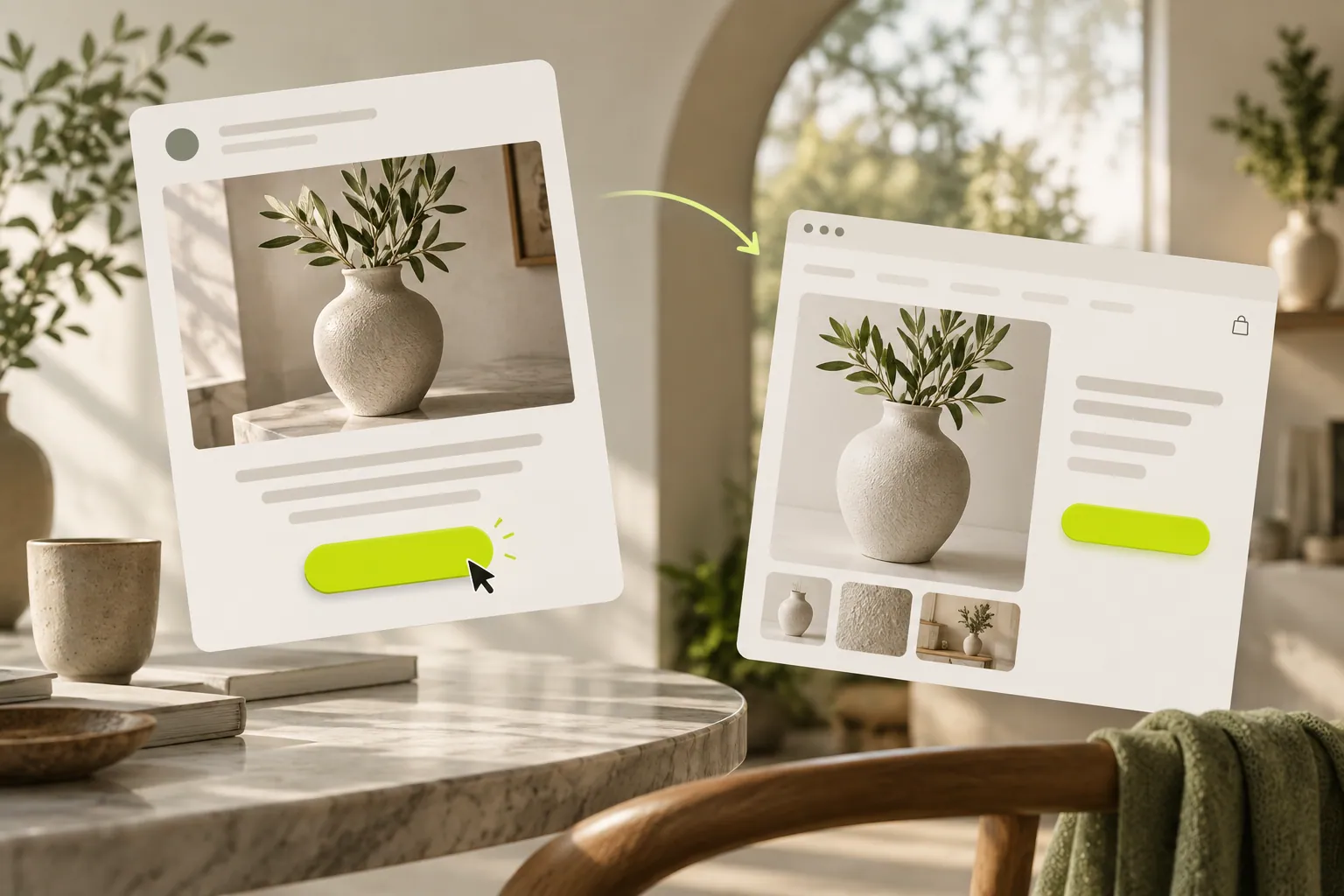
Replace vague links with buttons that explain the next step. Plan the message, button and destination as one connected experience.
Someone has read your email and is interested. At the button, you do not want them wondering what happens next. A useful call to action answers that question before the click.
- Message purpose
- Clear button
- Relevant destination
Do you want them to buy or explore first?
A person discovering a product may not be ready to decide immediately. “View the product” can be a better starting point than “Buy now”. For a service, you might invite them to review the scope or share a requirement. The button should complete the purpose of this particular message.
What wording makes the action clear?
“View the workshop schedule” explains both the action and destination better than “Continue”. Read it without the surrounding paragraph. If it still makes sense, you are on the right track. Put detailed conditions nearby instead of trying to fit them into the button.
Is more than one link a problem?
Not by itself. But equally prominent product, social, survey and meeting links can hide the priority. Make the main action distinct and let supporting links remain quieter. Repeating the same destination in a long message is different from adding another competing purpose.
Does the click deliver what you promised?
“Request a quote” should open the relevant form. A general homepage may make readers search again. Follow the link on a phone and review the language, product availability and form topic. Make the final design decision after seeing that whole journey.
Now let’s look at your own content.
- Choose one primary action.
- Read the button without surrounding text.
- Open the destination on a phone.
COMMON QUESTIONS
A few more things you might be wondering.
Must an email contain only one link?
No. Necessary supporting links can remain. Keep the main action from getting lost among them.
Does the button have to open a form?
No. It can lead to a product, article or schedule. Use a form only when collecting information is needed.
Can I repeat the same button?
In a long message, repeating the same destination can help. Check that it does not interrupt reading and that both links work consistently.